Advertisements
Software:
Blender 2.79
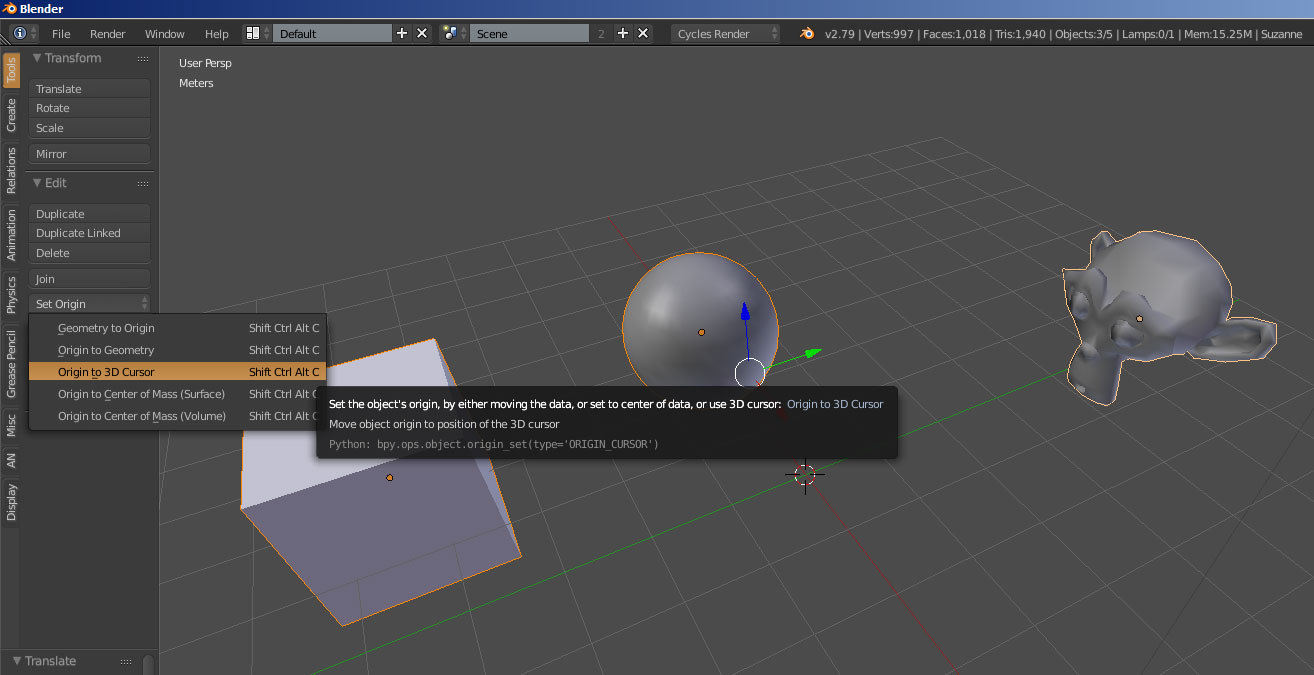
The Set Origin Tool let’s you set the origin (pivot) for one or multiple objects.
Typical usage would be to place the 3D Cursor at the wanted location and choose Origin To 3D Cursor.
Another handy usage is after “breaking” a model into separate meshes, like separating the letters of a title for animation, selecting all the letters and choosing Origin to Geometry to set all the letters origins to their centers.
3D View > Tools panel > Set Origin
Hotkey:
Shift + Ctrl + Alt + C