Setting up RenderPal with Blender

Software:
RenderPal 2.14 | Blender 2.78

When attempting to set up render management for Blender using the free version of RenderPal render farm software,
After dealing with the basic technical stuff of installing and configuring all the components,
I came upon a bizarre problem while testing render jobs:
The system would not recognize that a chunk (part of the job) was successfully finished, and went on to render the same chunk again and again, over-writing the files that were created the previous time.
After some frustrations and endless checks,
I wrote a message to the RenderPal support and it appears the ‘Blender renderer” that is the RenderPal module that interfaces with blender, was outdated,
They sent me a new version of the module with instructions how to update it (very simple), so I did and the problem was solved.
Animating visibility in Blender

Software:
Blender 2.78

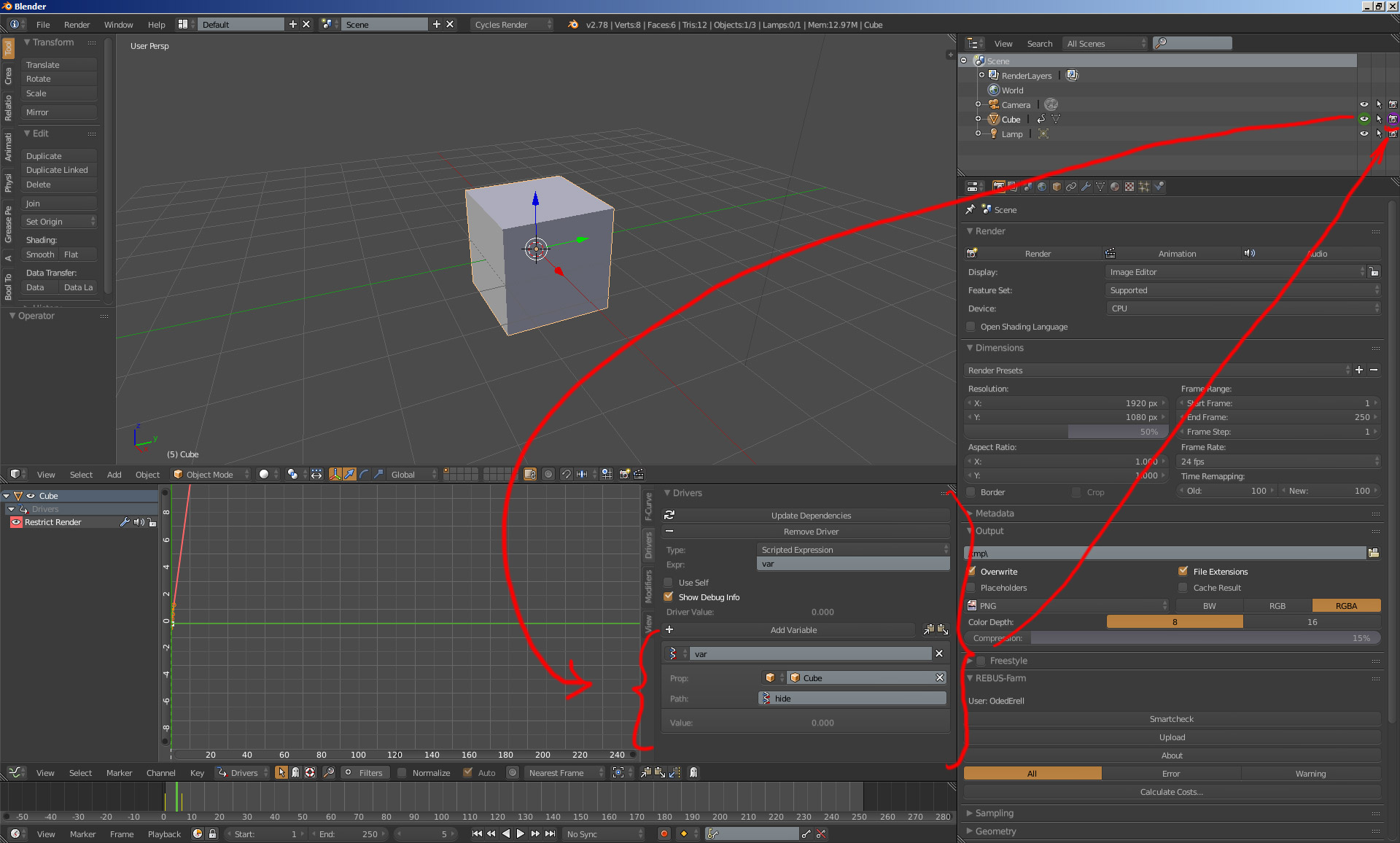
When setting key-frames to an object’s Visibility or “restrict view-port visibility” property,
Its easy to forget that it doesn’t affect the visibility in rendering but only in the view-port display.
This gave me some really nasty glitches in production when rendered animation turned out different than what I had expected.

Simple solution to that is:
Whenever an object’s visibility needs to be animated,
First thing to do is to set a Driver for the “restrict rendering” property, that would be controlled by the “restrict view-port visibility” property.
That way the animation done on view-port visibility will automatically also control rendering visibility.
What’s needed is a simple single property driver which is very simple to setup and the huge headaches can be avoided that way.

There are plenty of video tutorials about setting up drivers in Blender:
https://www.youtube.com/results?search_query=blender+2.7+drivers

Renderability_Controlled_by_Visibility